
Payouts, fees and policies
Getting paid for physical orders
Where the money from a physical order goes, what Storelib keeps, and how it reaches your bank.
Updated 1 min read
On this page
A physical order is paid the same way as any other sale on Storelib. The buyer pays by card, Apple Pay or Google Pay, and the money goes into your balance.
Before your first order
- Open Payouts and press Set up payments.
- Add your details and your bank account.
- Wait until Payouts says payments are on. Checkout stays closed until then.
Step by step: Set up payments.
What's in a payment
- The buyer pays the items, the shipping and any tax in one payment.
- Storelib's fee is taken from that payment. It's the same fee as any sale, worked out on the whole amount the buyer paid. See What Storelib charges per sale.
- Shipping money is yours. You pay the carrier yourself, the way you normally would.
- Tax you collect is yours to pay to the tax office. Storelib doesn't file it for you.
From your balance to your bank
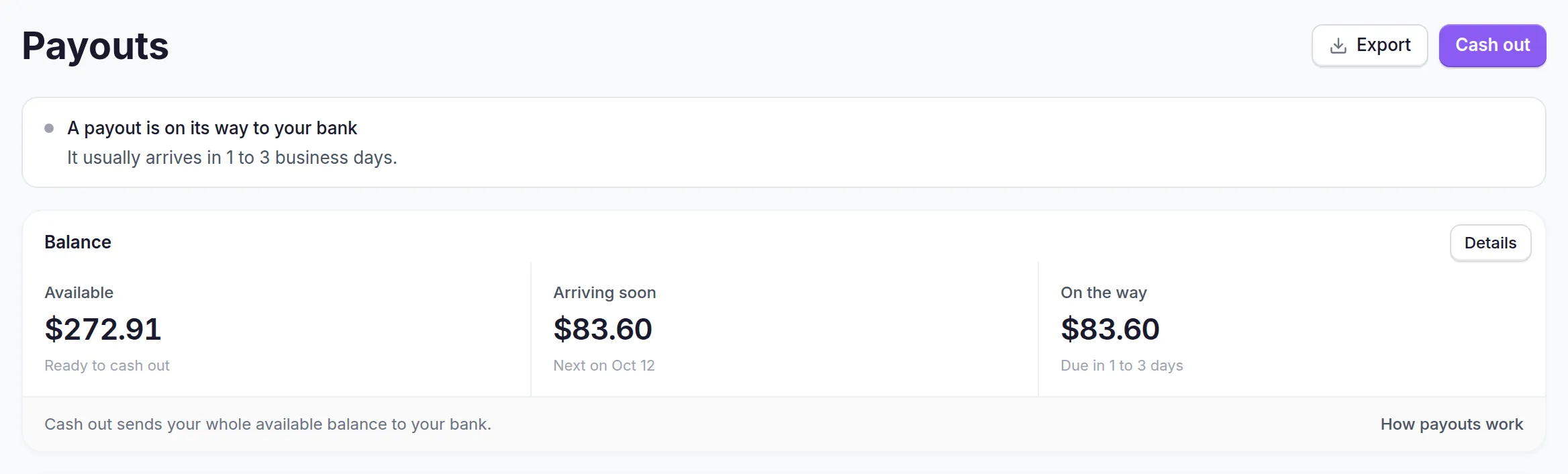
- A payment settles first. Payouts shows it under Arriving soon, with the day it will be ready.
- Once settled, it moves to Available.
- Press Cash out. Your whole available balance goes to your bank, usually in 1 to 3 business days.
More detail: When you get paid.
Refunds and your balance
A refund comes out of your balance. If it takes the balance below zero, your next sales cover it on their own.
The name on the buyer's statement
Open Settings > Payments to set the name buyers see on their card statement. Use a name they'll recognise. A buyer who doesn't recognise a charge is more likely to dispute it.
More in Payouts, fees and policies
All physical products articlesRelated articles
Still stuck? Contact support and a person on the team replies by email. Selling on Storelib? Open a request from your dashboard.