
Payouts, fees and policies
Refund, shipping and privacy policies for your store
Your website comes with policy pages to fill in. Here's how to write them and where buyers see them.
Updated 1 min read
On this page
Every store needs a refund policy, a privacy policy and terms of service. Payment providers ask for them, and buyers look for them before they pay. Your Storelib website comes with all three, plus an optional shipping policy.
Write them
- Open Website and the editor.
- Open Website settings and choose Policies.
- Press Edit on a policy, or Use template to start from ours.
- Replace everything in [square brackets] with your own terms. The card counts how many are left.
- Write a shipping policy too: where you ship, how long it takes and what it costs.
- Publish the website so visitors see the changes.
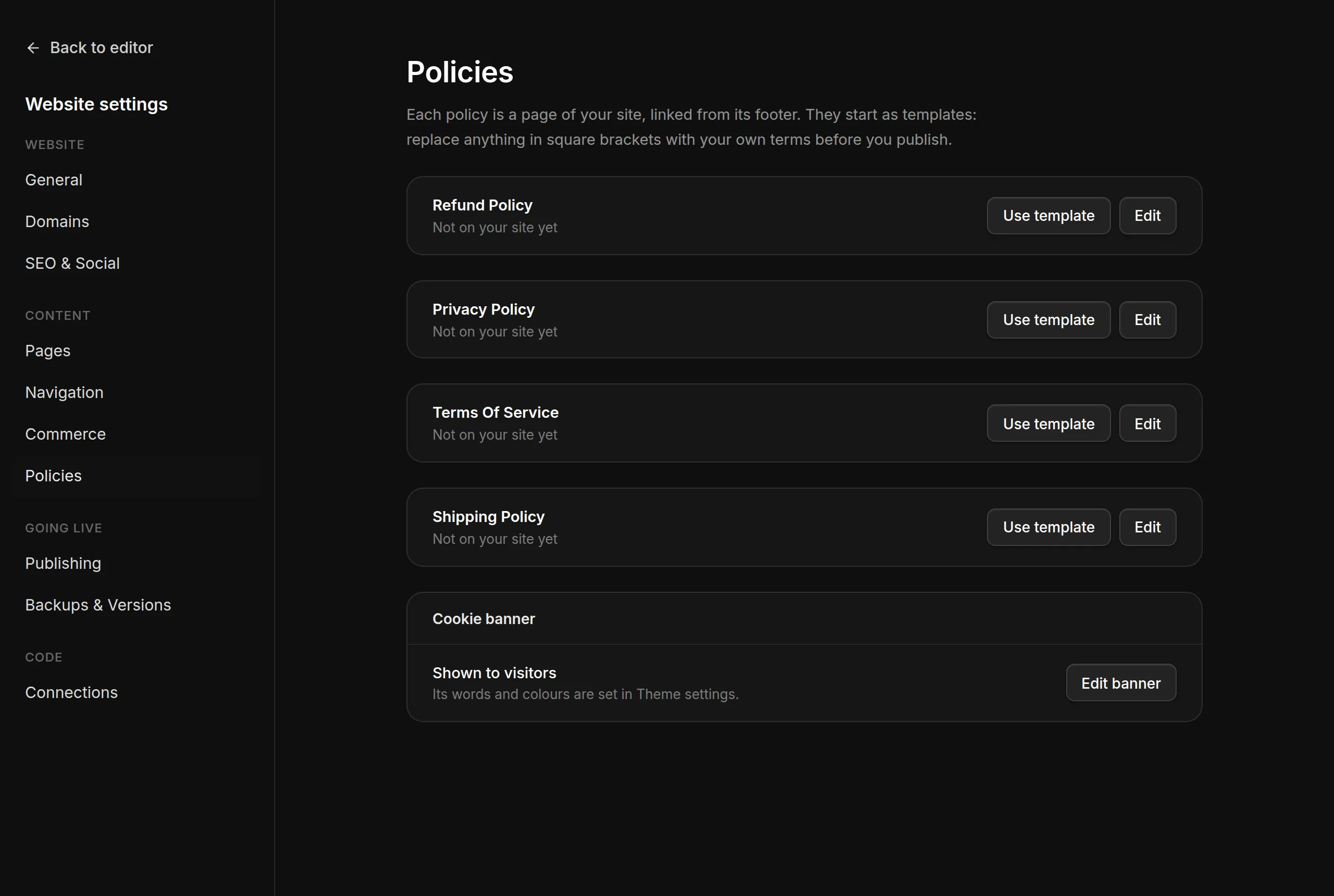
Make them match your settings
- Your refund policy ends with your return window from Settings > Returns and refunds, kept up to date for you. Make sure the rest of the text doesn't say something different.
- Your shipping times should match the delivery estimates on your rates.
- If you offer local pickup, say where and when.
The templates are a starting point, not legal advice. Check them with someone who knows the rules where you sell.
Each policy is a page of your website, linked from its footer. Imported themes link to them from their own footer too.
More in Payouts, fees and policies
All physical products articlesRelated articles
- Returns for physical ordersSet your return window and reasons, then approve a return, take the items back into stock and refund, step by step.
- Sell physical products on your websiteYour products, the cart and checkout are built into every Storelib website. Here's how to set them up and check them.
- Getting paid for physical ordersWhere the money from a physical order goes, what Storelib keeps, and how it reaches your bank.
Still stuck? Contact support and a person on the team replies by email. Selling on Storelib? Open a request from your dashboard.