
Returns and refunds
Returns for physical orders
Set your return window and reasons, then approve a return, take the items back into stock and refund, step by step.
Updated 2 min read
On this page
Set your returns
- Open Settings and choose Returns and refunds.
- Leave Accept returns on. Off, the buyer's order page has no return button.
- Set Return window in days. It counts from delivery, or from shipping when there's no tracking. A tracked parcel nobody marked delivered counts from when it should have arrived, and the buyer's page says the last day.
- Press Save.
- Check Return reasons, the choices a buyer picks from, and Refund reasons, the ones you pick from. Add, rename or remove them.
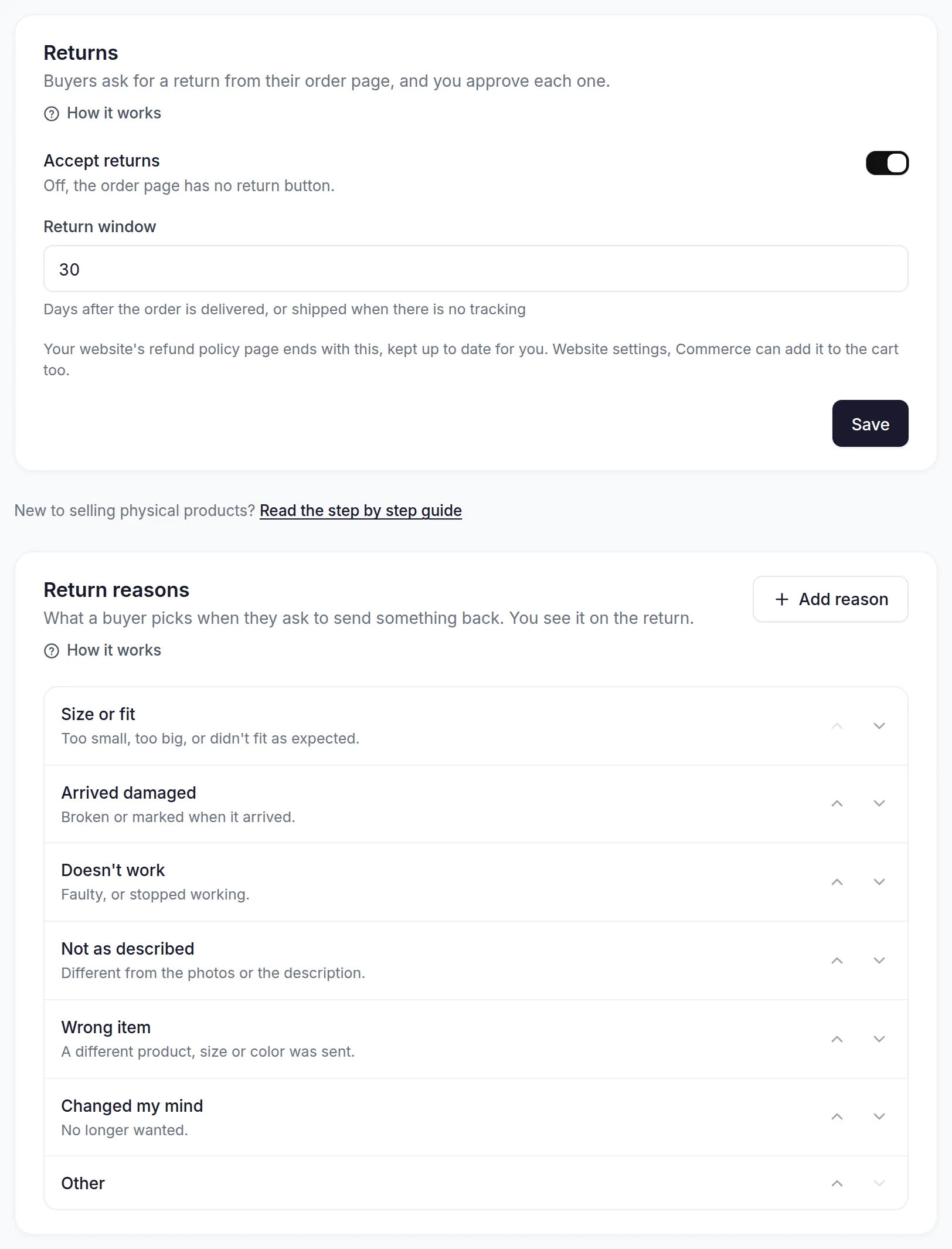
Your website's refund policy page ends with your return window, kept up to date for you. To show it in the cart too, turn on Return policy in the cart in Website settings > Commerce.
When a buyer asks for a return
- The buyer opens their order page (the link is in every order email) and presses Return items. They choose what, how many and why.
- You get an email, and the request shows on the order. Approve it or decline it. When you approve, say how it comes back and add instructions. The buyer is emailed either way.
- When the parcel arrives, mark it received. Choose which items go back in stock. Damaged ones can stay out.
- Refund with More actions > Refund at the top of the order, all of it or part of it.
- Close the return.
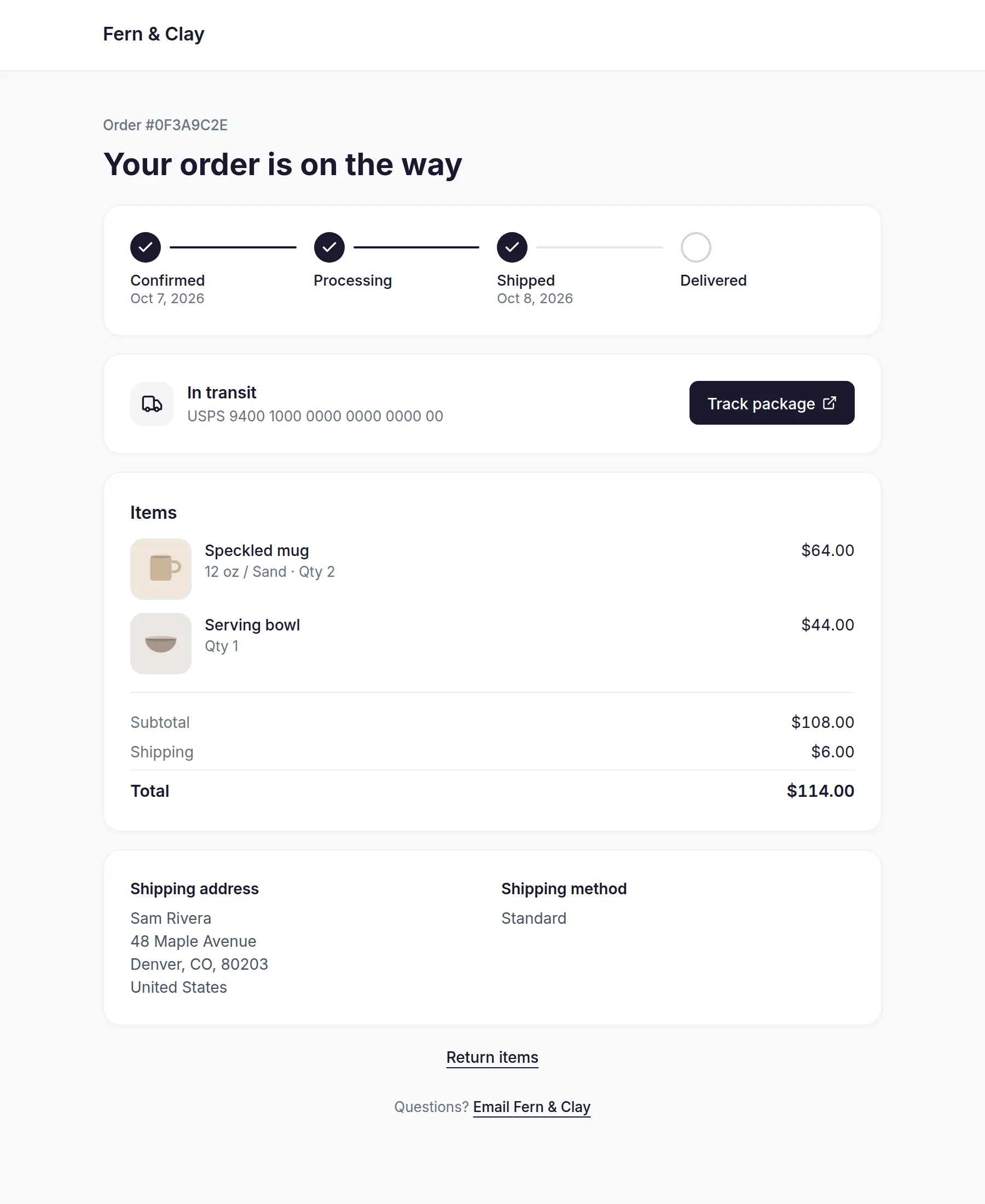
A return doesn't refund by itself. Choose Refund when you're ready.
Start a return yourself
After a phone call or an email, open the shipment's menu on the order and press Start return. Choose the items, the reason, how it comes back (the buyer ships it, drops it off, or keeps it) and whether it goes back in stock when received.
Common mistakes
- A refund policy that says 14 days when Return window says 30. Keep them the same.
- Forgetting to refund after marking the return received.
- Restocking a damaged item. Leave it out so you don't sell it again.
More in Returns and refunds
All physical products articlesRelated articles
- Refund, shipping and privacy policies for your storeYour website comes with policy pages to fill in. Here's how to write them and where buyers see them.
- Tracking and the buyer's order pageHow tracking links are made, how parcels are followed for you, how a partner adds tracking, and the order page where buyers follow their parcel.
Still stuck? Contact support and a person on the team replies by email. Selling on Storelib? Open a request from your dashboard.