
Orders and tracking
Tracking and the buyer's order page
How tracking links are made, how parcels are followed for you, how a partner adds tracking, and the order page where buyers follow their parcel.
Updated 3 min read
On this page
Every shipment can carry a tracking number. Storelib turns it into a link to the carrier's own tracking page, and puts that link in the buyer's email and on their order page.
Carriers Storelib knows
For these, the tracking link is made for you: DHL Express, UPS, FedEx, USPS, DHL (Paket, Parcel and eCommerce), DPD, GLS, Amazon Logistics, Royal Mail, Evri, TNT, La Poste / Colissimo, Hermes, PostNL, Poste Italiane, Correos, InPost, Canada Post, Australia Post, FAN Courier, Sameday, Cargus, Posta Romana, PostNord, Aramex, An Post, Purolator, Deutsche Post, Poczta Polska, Packeta, Swiss Post, Austrian Post, bpost, Chronopost, Mondial Relay, SEUR, CTT, BRT, SDA, Yodel, Parcelforce, Posti, Omniva, Česká pošta, Magyar Posta, Econt, Speedy, ACS Courier, ELTA Hellenic Post, Nova Poshta, Ukrposhta, OnTrac, Estafeta, Correios, Japan Post, Yamato Transport, SF Express, China Post, Singapore Post, Ninja Van, J&T Express, India Post, Delhivery, Blue Dart, NZ Post, Sendle, Emirates Post, SMSA Express and SPL Saudi Post. A parcel to Romania sent with DPD gets DPD Romania's own page.
- Typed before a carrier is chosen, the number often picks the carrier by how it looks.
- Under the number, The buyer follows it on names the carrier's site, and Check the link opens it, so you can check before you save.
- For any other carrier, choose Other, type its name and paste its tracking link. Without a link, the buyer sees the number on its own.
Parcels followed for you
When Storelib's tracking is on, every shipment with a tracking number is followed with its carrier through AfterShip or 17TRACK. That covers over a thousand carriers, whoever shipped it: you, a supplier, or a partner like Printful.
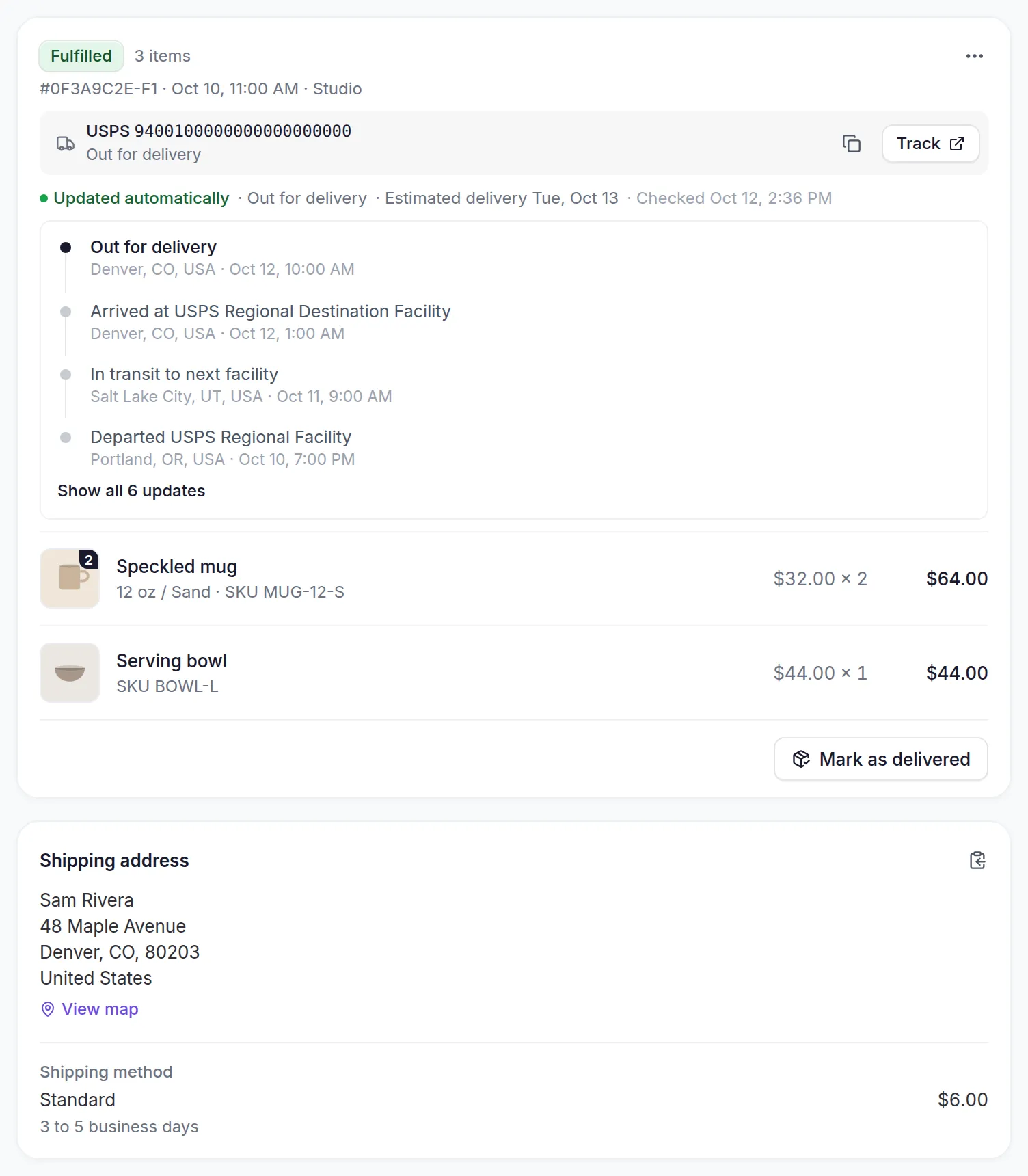
- The shipment moves on by itself: in transit, out for delivery, delivered, or a delivery problem.
- The buyer's order page shows each scan with the place and time, and the estimated delivery.
- Your shipment card says Updated automatically, with the same scans. Pause automatic updates in its menu stops it for one package.
- Delivered uses the carrier's own time, so the return window counts from the day it arrived.
- Have your own AfterShip or 17TRACK account? Add its key in Settings > Integrations > Courier tracking.
- Not on yet? The shipment card says so, and you set each status yourself from the shipment's menu.
When a partner ships
A warehouse, supplier or print partner gets each order by email. That email has a link to a short form where they type the carrier and tracking number. When they save it, the items are marked sent and the buyer gets the shipping email straight away. The link works for 60 days.
A partner on a webhook (Your own system, in Integrations) can send the tracking back the same way, signed with your webhook secret. Later updates for the same number move the shipment on: in transit, out for delivery, delivered.
What the buyer sees
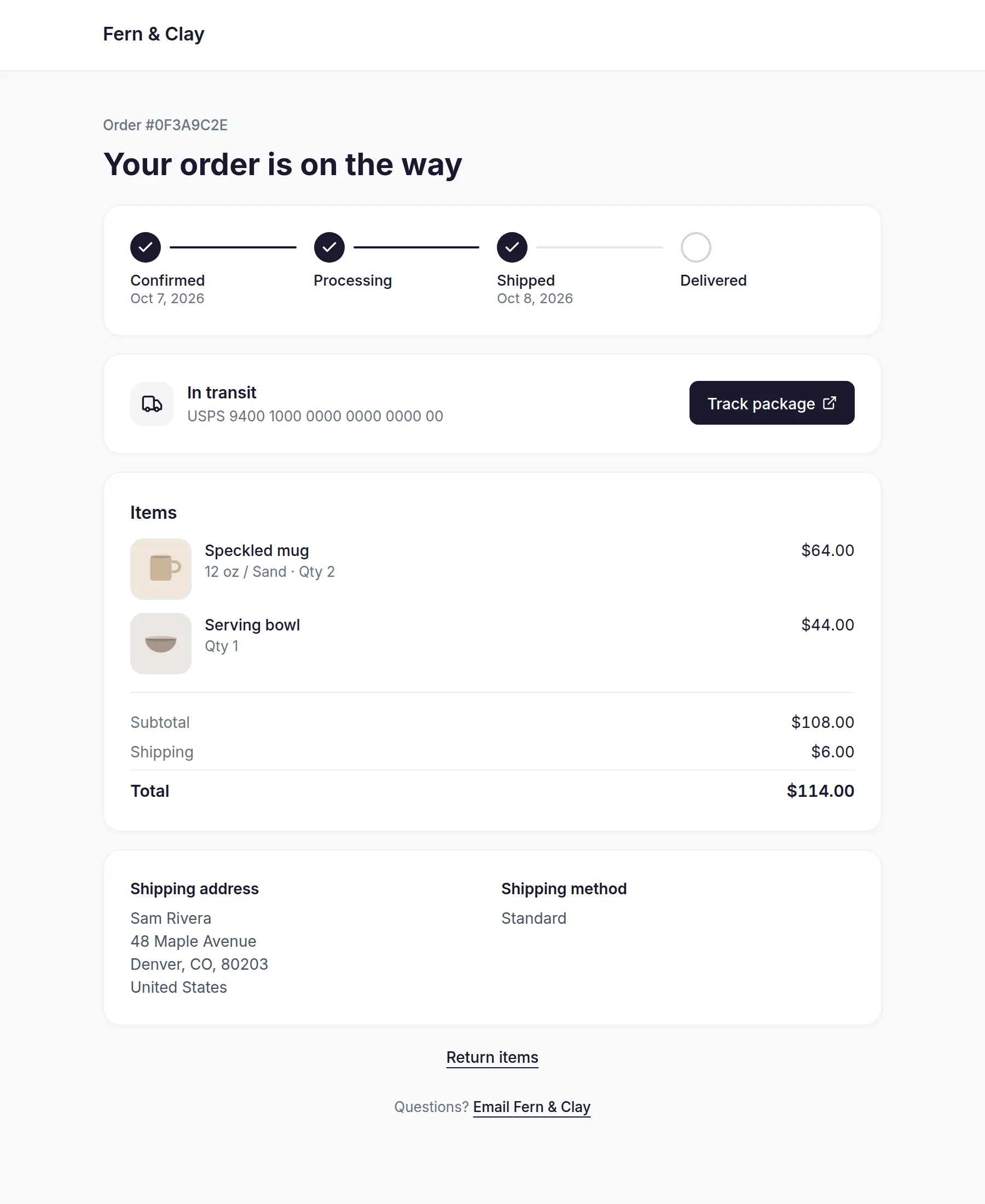
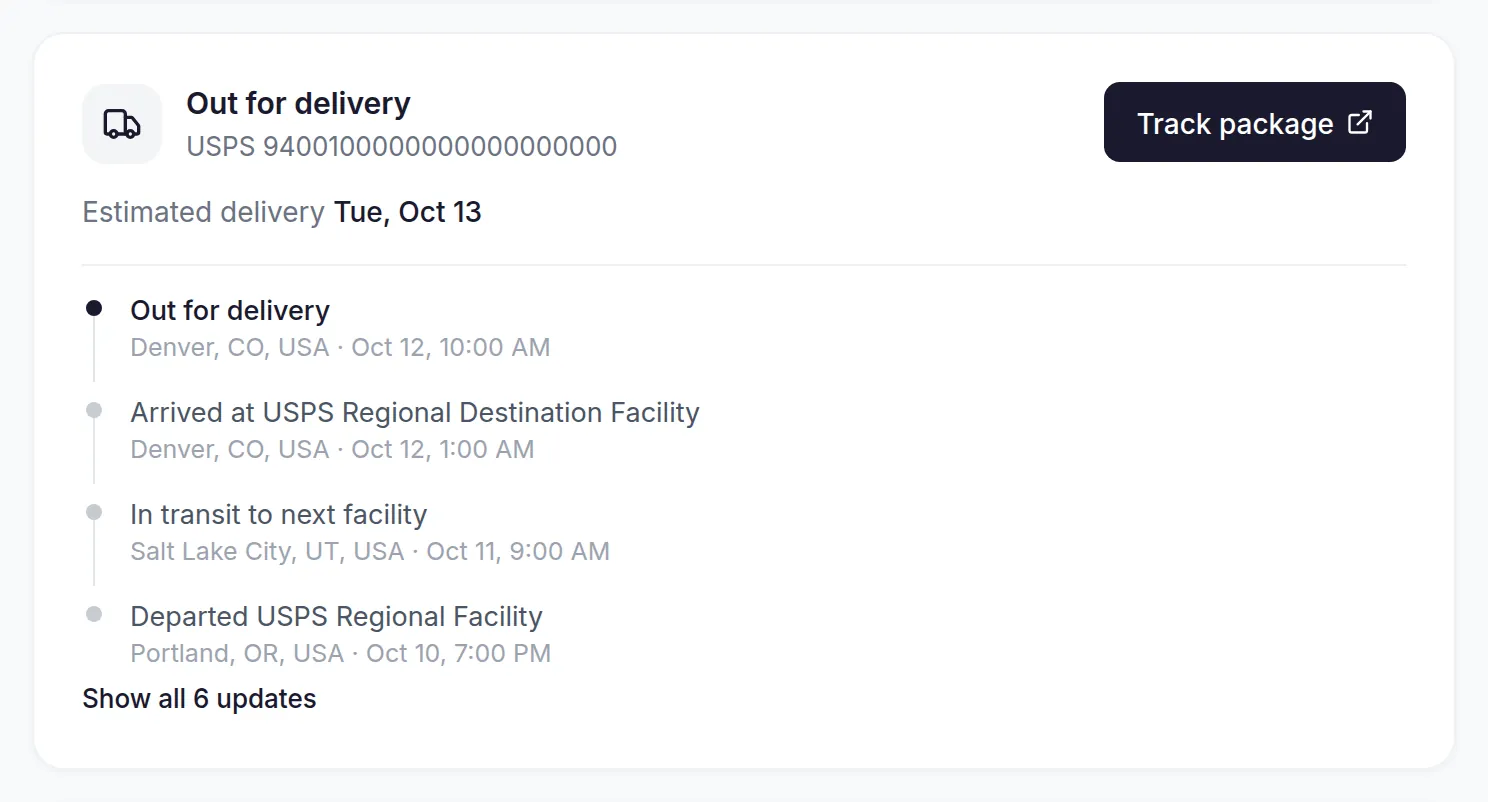
- Every order email has a link to their order page. It shows the steps, each shipment with a Track package button, the items, the totals, the address, and Return items when you accept returns.
- Signed in on your website, they also find it under their orders.
- Lost the email? On your website, /checkout/track asks for the order number and the email they ordered with, and emails the link again. It never says whether an order exists, so nobody can look up someone else's.
The emails that go with tracking
| Sent when | |
|---|---|
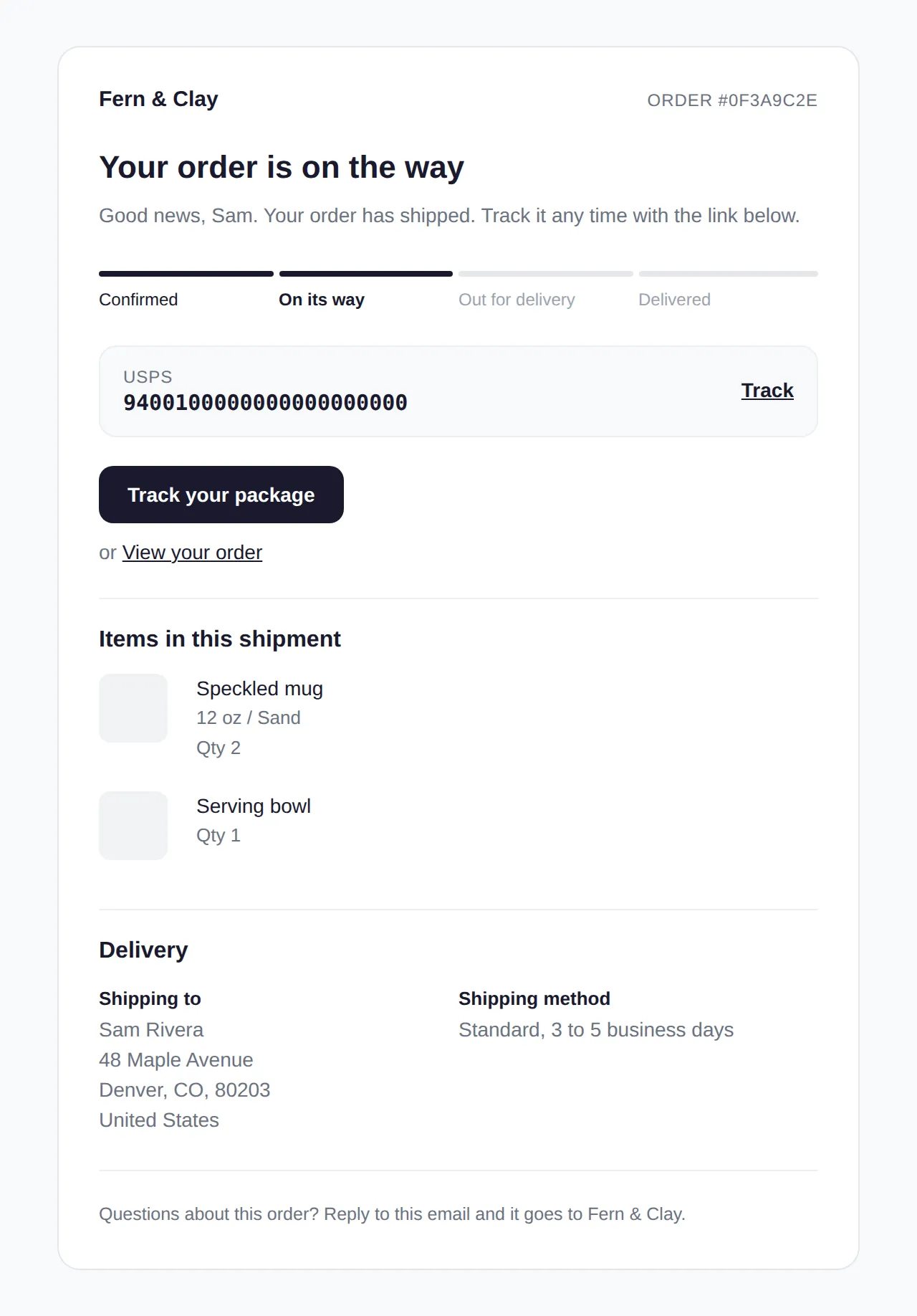
| Shipping confirmation | You fulfill items with Send shipment details to the buyer on |
| Tracking number changed | You edit the tracking with Email the buyer the new number on |
| Out for delivery | The carrier says it's out for delivery, or you mark it |
| Delivered | The carrier or a partner says it arrived, or you mark it delivered |
| Delivery issue | A failed attempt, an exception or a return to sender, or you report a delivery problem |
More in Orders and tracking
- Ship your orders: from Unfulfilled to Delivered
- Shipping labels and every way to fulfill an order
- Cancel an order and give the money back
Related articles
- Ship your orders: from Unfulfilled to DeliveredWhat each order status means, how to fulfill items with tracking, send part of an order and print a packing slip.
- Customer emails: what your buyers get, and whenOrder confirmation, shipping, delivery, pickup, refunds, returns and the checkout reminder: when each goes and how to change its words.
- Who ships it: fulfilment typesShip it yourself, or use a fulfillment center, a supplier or print on demand: one answer for the store, and any product can have its own.
Still stuck? Contact support and a person on the team replies by email. Selling on Storelib? Open a request from your dashboard.