
Website and integrations
Integrations: analytics, pixels and fulfilment partners
Add Google Analytics, Meta, TikTok and other pixels to your website, send orders to Printful, Printify or your own system, and see what's next.
Updated 4 min read
On this page
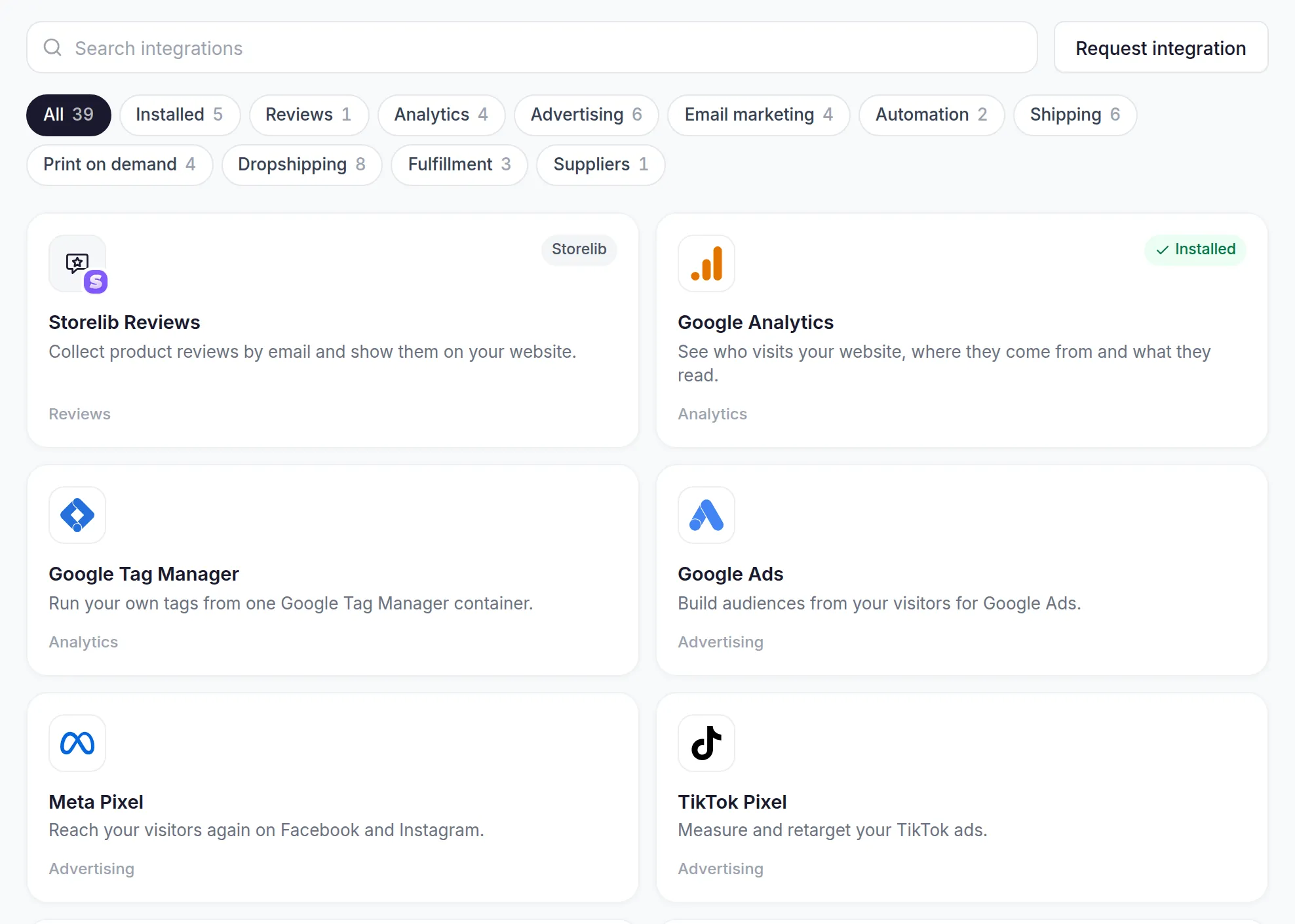
Open Settings and choose Integrations. Every service you can connect is there, with a search, categories, and Installed for what you've already set up. Press a card to open its page: what it does, what it sends, and how to install it.
Analytics and ad pixels
Google Analytics, Google Tag Manager, Google Ads, Meta Pixel, TikTok Pixel, Pinterest Tag and Microsoft Clarity load on every page of your website once you add their ID. Klaviyo and Omnisend load their sign up forms the same way.
- Press the service's card.
- Copy the ID from that service, like a Google Analytics Measurement ID (G-1A2B3C4D5E) or a Meta Pixel ID.
- Paste it under Set up and press Install.
- It loads on your website from its next page view. To stop it, press Remove.
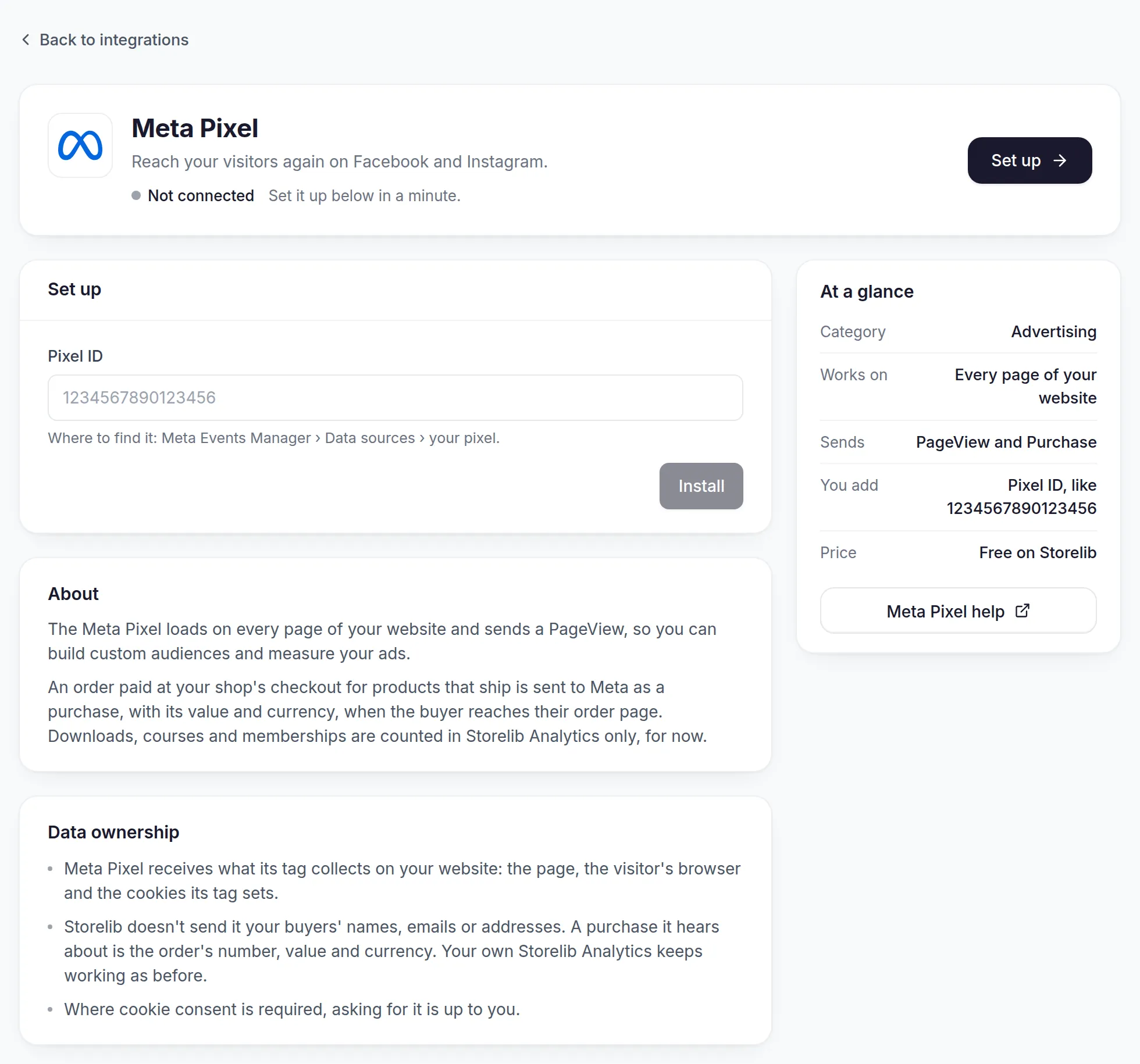
- An order paid at your website's checkout for something that ships is sent to Google Analytics, Google Ads, Meta, TikTok and Pinterest as a purchase, with its value, when the buyer reaches their order page.
- They never get your buyers' names, emails or addresses from Storelib.
- Where cookie consent is required, asking for it is up to you.
Courier tracking
Courier tracking is built in. When Storelib's tracking is on, every shipment with a tracking number is followed with its carrier, and the buyer is told when it moves. Its card says whether your parcels are followed. Have your own AfterShip or 17TRACK account? Press Use my own account and add its key. See Tracking.
Klaviyo and Omnisend
Connect them with a key on their page, under Subscribers and orders: a Klaviyo private API key and the list your subscribers join, or an Omnisend API key. People who said yes to your emails are subscribed there. Buyers who did not ask are sent as customers, never added to a list. Every sale is sent as an order, with its shipping, cancellation and refund, and anyone who unsubscribes there stops getting your Storelib emails too. Turn on Send what you already have to send your existing subscribers and the last 90 days of orders.
Getting orders to whoever ships them
| Integration | What it does today |
|---|---|
| Ship it yourself | Built in. You pack and send, then add the tracking. |
| Supplier by email | Each paid order is emailed to your partner with the items and address. They add tracking from a link in the email. |
| Your own system (webhook) | Each paid order is sent to your https address as JSON, signed with your secret. Tracking can come back the same way. Send a test checks your address first. |
| CSV export | Download unfulfilled orders as a spreadsheet for a warehouse. |
| Printful, Printify | Connect with your token. Each paid order for their location goes to them by SKU, and the tracking comes back to your buyer. |
| Gelato | Connect with your API key and match each variant to a Gelato product and print file. Each paid order goes to Gelato, and the tracking comes back. |
| CJ Dropshipping | Connect with your CJ API key and match each variant to a CJ variant. Each paid order goes to CJ, tracking comes back, and stock can follow CJ's. |
| Shippo, EasyPost | Connect with your API key. Buy and print labels from Fulfill items on the order page at their rates, and the tracking number goes on the shipment. A shipping zone can also offer their live rates at checkout as Carrier calculated. |
| ShipStation | Connect with your API key and secret. Each paid order you ship yourself goes to ShipStation. Print the label there and the tracking comes back to your buyer. |
| ShippyPro | Coming soon, for the carriers you use in Italy, Romania and the rest of the EU. It is written against ShippyPro's published API but has not been run against a real ShippyPro account yet, so its card says so instead of offering a Connect button. Press Tell me when it's ready. |
A key you save is stored encrypted and never shown again, only its last four characters.
Setting up Printful or Printify, step by step: Printful and Printify. Gelato and CJ Dropshipping: Gelato and CJ Dropshipping. What each way of shipping looks like from order to door: the playbook.
Check your own webhook with Send a test
- Open Your own system (webhook) and press Connect.
- Type your https address and a signing secret of 16 characters or more, then press Save.
- Press Send a test. Storelib sends a signed test request, the same shape as an order.
- The page says what your address answered, like 200. Anything else means your system didn't take it yet.
Check the X-Storelib-Signature header against your secret before you trust a request.
Storelib apps
Storelib Reviews is made by Storelib and runs inside it. Open its card, turn it on, and choose who can write a review and when reviews are published.
Not there yet?
Some cards say Coming soon. Press Tell me when it's ready and you're counted: the most asked for are built first. For a service that isn't listed at all, press Request integration.
More in Website and integrations
- Sell physical products on your website
- Bring your store's theme to Storelib
- Printful and Printify: send orders and get tracking back
- Gelato and CJ Dropshipping: match products, send orders
Related articles
- Who ships it: fulfilment typesShip it yourself, or use a fulfillment center, a supplier or print on demand: one answer for the store, and any product can have its own.
- Tracking and the buyer's order pageHow tracking links are made, how parcels are followed for you, how a partner adds tracking, and the order page where buyers follow their parcel.
- Sell physical products on your websiteYour products, the cart and checkout are built into every Storelib website. Here's how to set them up and check them.
- Gelato and CJ Dropshipping: match products, send ordersConnect Gelato or CJ Dropshipping with an API key, match each variant to theirs, choose drafts or paid orders, and get tracking and stock back.
Still stuck? Contact support and a person on the team replies by email. Selling on Storelib? Open a request from your dashboard.