
Website and integrations
Printful and Printify: send orders and get tracking back
Connect Printful or Printify with a token, match your SKUs, choose drafts or straight to production, and let tracking reach your buyers.
Updated 2 min read
On this page
Printful and Printify make each product when it sells and post it to your buyer. Connect one, and every paid order for its products goes to it by itself. Its tracking number comes back to the order.
Connect it with your token
- In Printful, open the Developer portal and make a private token with the orders, sync products and webhooks scopes. In Printify, open My account, then Connections, and make an API token.
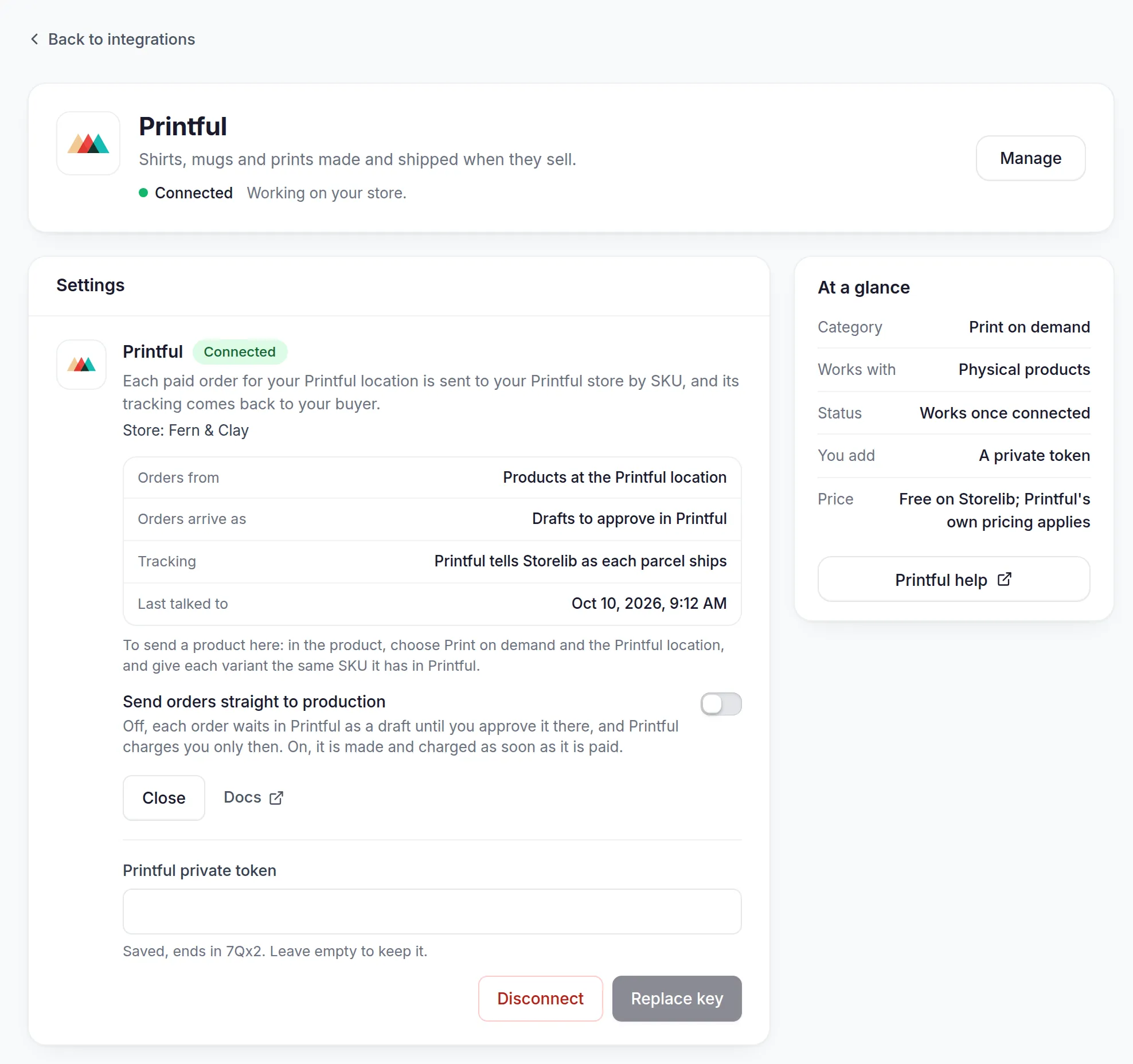
- In Storelib, open Settings, then Integrations, and press Printful or Printify.
- Press Connect, paste the token and press Connect again. Storelib checks it with them first.
- The page says Connected, with your store or shop's name. The token is stored encrypted and only its last four characters are shown.
The location it makes
Connecting makes a location named Printful or Printify in Settings, Locations. It says Connected to Printful while the token works. If you disconnect, the location stays with its products, and orders for it are marked for you to send yourself.
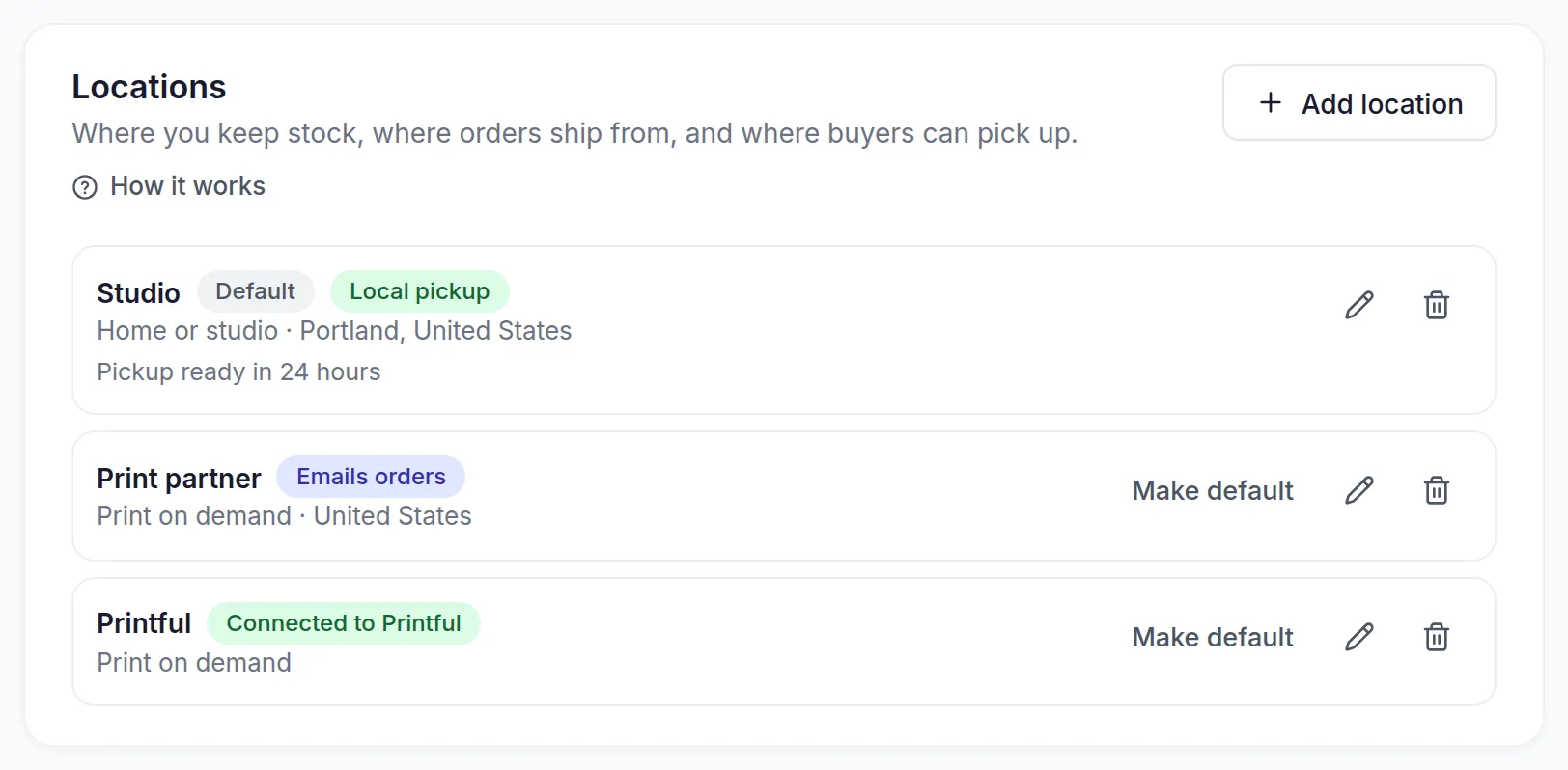
This location holds no stock. A product printed there is never counted and never shows as sold out.
Match your SKUs
- Open the product in Storelib and choose Print on demand under how it is fulfilled.
- Choose the Printful or Printify location. The editor says orders go there automatically.
- Give each variant the same SKU it has in Printful or Printify. That is how they know what to make.
- Save. Stock tracking is off for it, since nothing is kept in stock.
A variant without a SKU, or with one they don't have, is not sent. The order says which item, so you can fix the SKU and send that order yourself.
Drafts, or straight to production
By default each order waits there as a draft. You approve it in Printful or Printify, and they charge you then. Turn on Send orders straight to production to have each order made as soon as it is paid.
Tracking comes back
- When they ship a parcel, they tell Storelib. Storelib then reads the order from them with your token.
- The carrier and tracking number land on the order, and your buyer gets the shipping email from your store.
- If their update can't reach Storelib, Storelib checks them every few hours instead.
- Every step is on the order's timeline: sent, shipped, or anything they refused.
Other partners
Gelato and CJ Dropshipping take orders too: see Gelato and CJ Dropshipping. A card that still says Coming soon can't take orders yet. Press Tell me when it's ready on one and you're counted: the most asked for are built first.
More in Website and integrations
- Sell physical products on your website
- Bring your store's theme to Storelib
- Integrations: analytics, pixels and fulfilment partners
- Gelato and CJ Dropshipping: match products, send orders
Related articles
- Who ships it: fulfilment typesShip it yourself, or use a fulfillment center, a supplier or print on demand: one answer for the store, and any product can have its own.
- Tracking and the buyer's order pageHow tracking links are made, how parcels are followed for you, how a partner adds tracking, and the order page where buyers follow their parcel.
- Sell physical products on your websiteYour products, the cart and checkout are built into every Storelib website. Here's how to set them up and check them.
- Bring your store's theme to StorelibImport your old store's theme file and your store looks the same, with Storelib's products, cart, accounts and checkout behind it.
Still stuck? Contact support and a person on the team replies by email. Selling on Storelib? Open a request from your dashboard.