
Orders and tracking
Ship your orders: from Unfulfilled to Delivered
What each order status means, how to fulfill items with tracking, send part of an order and print a packing slip.
Updated 3 min read
On this page
| Status | What it means | How it gets there |
|---|---|---|
| Unfulfilled | Paid, nothing sent yet | On its own, when the buyer pays |
| In progress | You're working on it | Mark as in progress, in the card's menu (optional) |
| Partially shipped | Some of it is sent | You fulfilled part of the order |
| Shipped | Everything is sent | You fulfilled every item |
| Delivered | Every parcel arrived | On its own when Storelib's tracking or a partner says so, or Mark as delivered on each shipment |
For pickup orders the steps read Ready for pickup and Picked up. See Local pickup.
Fulfill an order
- Open Orders and press the order. Each Unfulfilled card says where it ships from.
- Want a list for the box? Open the card's menu (the three dots) and press Packing slip.
- Pack it and post it.
- Press Fulfill items.
- Check the quantities. Lower one to send only part of the order now.
- Choose the carrier: the ones used most in the buyer's country come first, each with its logo. Then type the tracking number; the buyer follows the parcel with it, so a carrier always needs one. For a carrier that isn't listed, choose Other and type its name and tracking link. Delivering it yourself, or sending it untracked? Choose Local delivery / no tracking.
- Keep Send shipment details to the buyer on and press Fulfill.
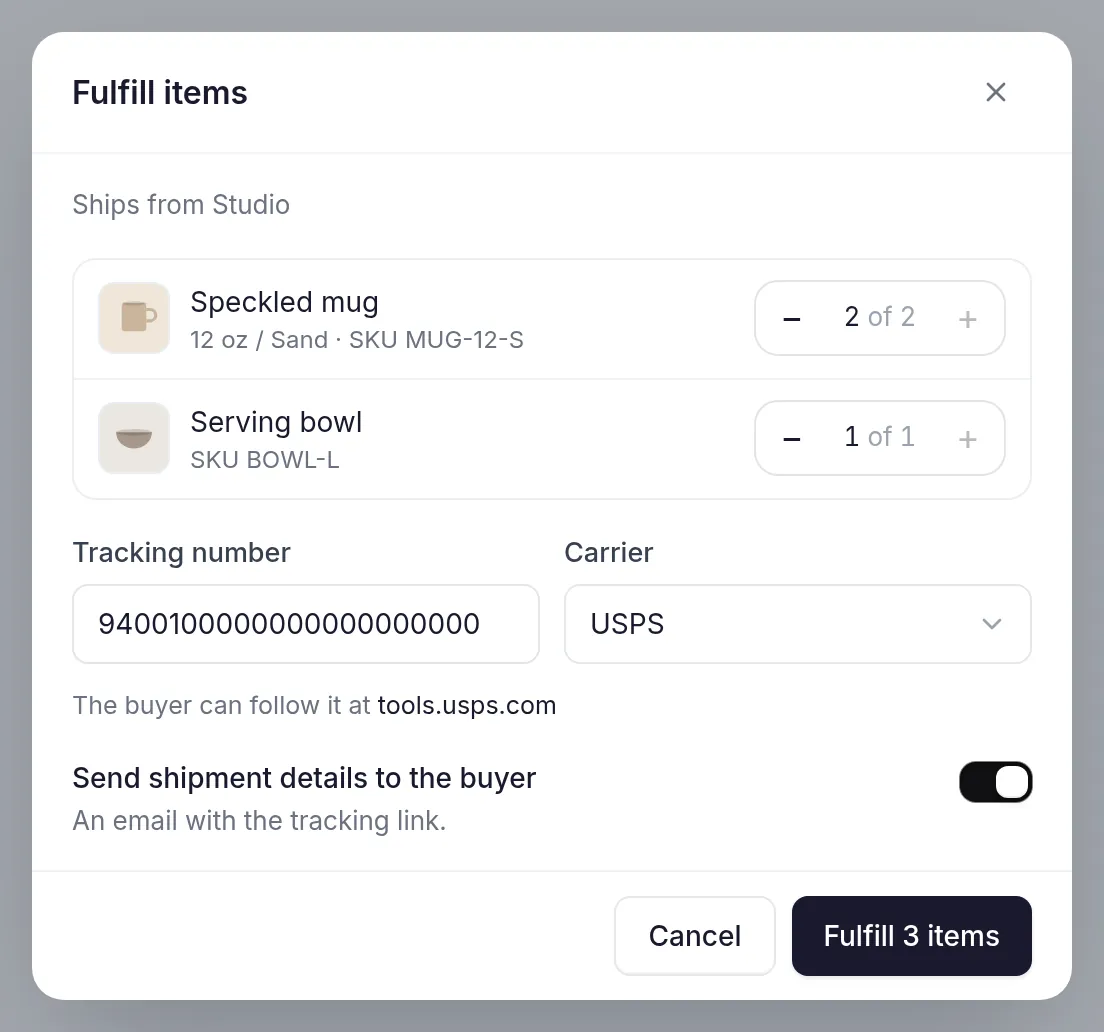
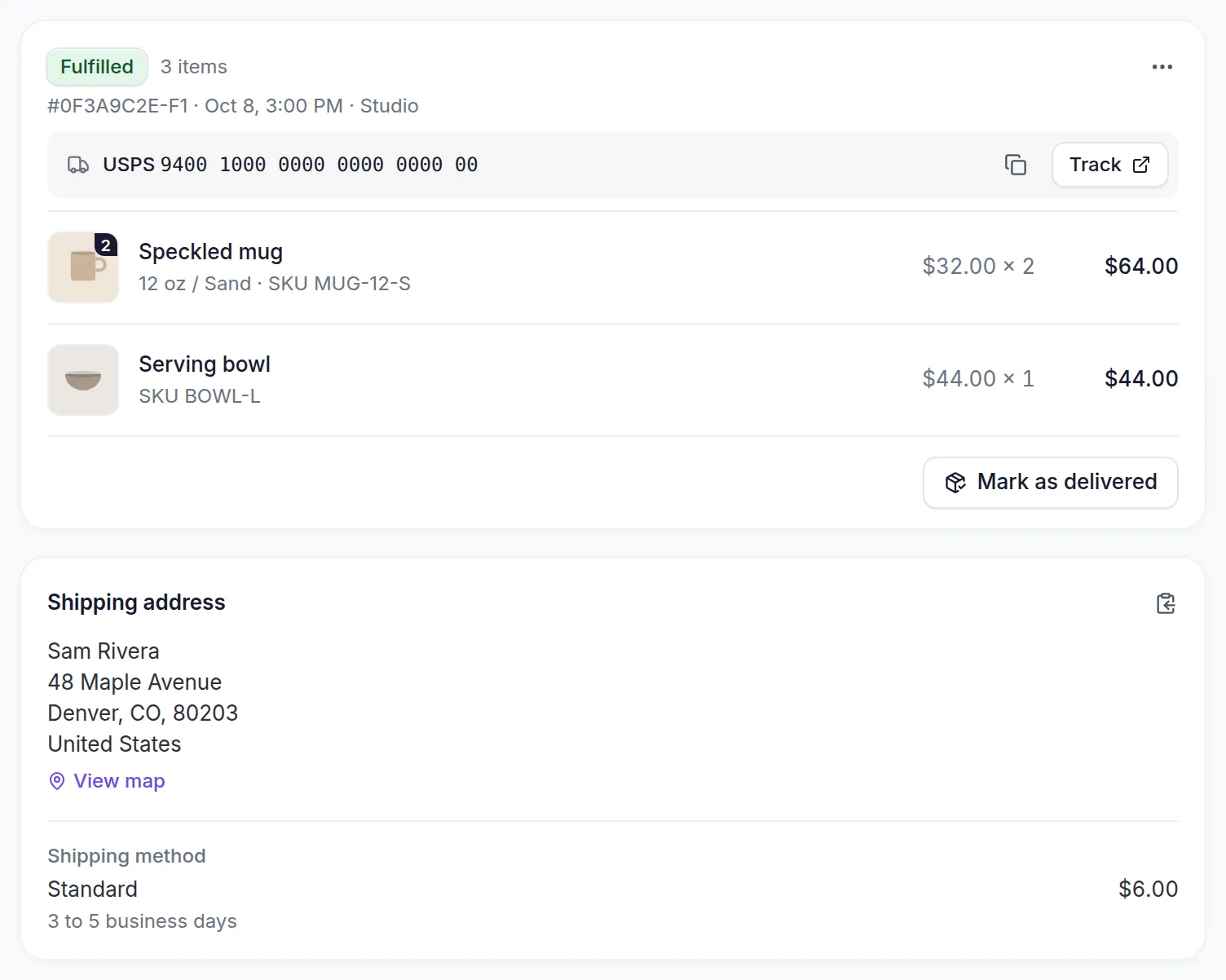
What happens next: the buyer gets a shipping email with a Track your package button, the stock leaves your shelf, and the order moves to Shipped.
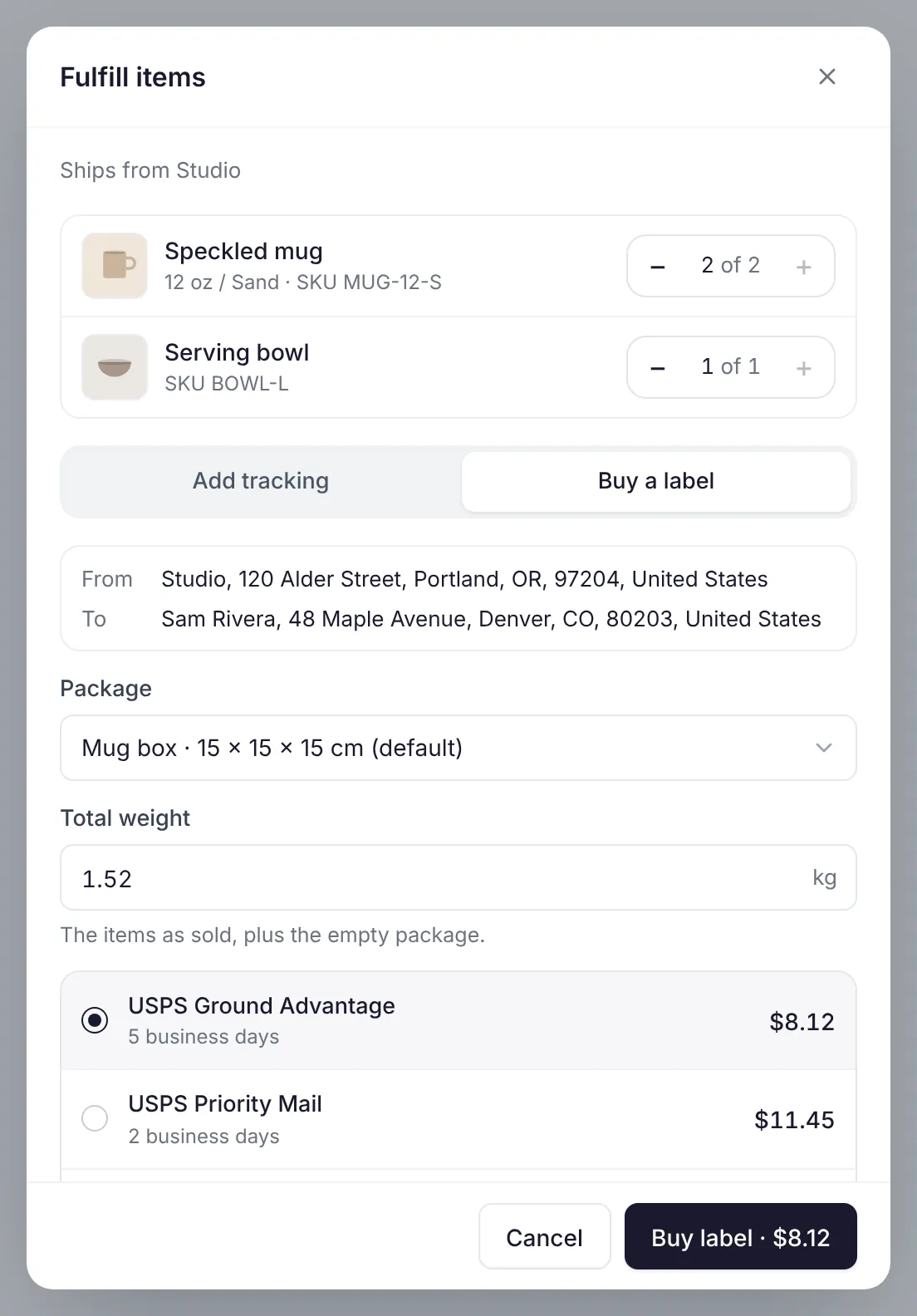
Buy a label instead
With Shippo or EasyPost connected in Settings > Integrations, Fulfill items has Buy a label next to Add tracking. Pick the box, press Get rates, pick a rate and press Buy label. The label opens to print, the tracking number goes on the shipment by itself, and the buyer gets the shipping email. The label is charged to your Shippo or EasyPost account. Printing again, voiding and every other way to ship: Shipping labels and every way to fulfill an order.
Sending an order in several parcels
Fulfill what you have now and leave the rest. The order stays Partially shipped, with what's left in the Unfulfilled card. Fulfill the rest later the same way. Each parcel gets its own tracking and its own email.
After it's sent
- Fix a typo with Edit tracking in the shipment's menu. Keep Email the buyer the new number on and they're told.
- When Storelib's tracking is on, the shipment moves on by itself as the carrier scans it: in transit, out for delivery, delivered. The buyer is emailed when it's out for delivery and when it's delivered.
- Without it, Mark as in transit, Mark as out for delivery and Mark as delivered in the shipment's menu move it on, with the same emails.
- Cancel fulfillment if it never left. Its items go back to unfulfilled and back in stock.
Tracking in detail, and what the buyer sees: Tracking and the buyer's order page.
Common mistakes
- Pressing Fulfill before the parcel is posted. The buyer gets the email at once.
- Typing the tracking number with spaces from the receipt. That's fine: spaces are taken out for you.
- Turning off Send shipment details to the buyer by accident. Leave it on unless you've told the buyer yourself.
More in Orders and tracking
- Shipping labels and every way to fulfill an order
- Tracking and the buyer's order page
- Cancel an order and give the money back
Related articles
- Tracking and the buyer's order pageHow tracking links are made, how parcels are followed for you, how a partner adds tracking, and the order page where buyers follow their parcel.
- Cancel an order and give the money backCancel an order that hasn't shipped, put the stock back on sale and refund the buyer, or answer a buyer who asked to cancel.
- Customer emails: what your buyers get, and whenOrder confirmation, shipping, delivery, pickup, refunds, returns and the checkout reminder: when each goes and how to change its words.
Still stuck? Contact support and a person on the team replies by email. Selling on Storelib? Open a request from your dashboard.