
Shipping and delivery
Local pickup
Let buyers collect their order from your studio, shop or home instead of paying for shipping.
Updated 1 min read
On this page
Local pickup lets a buyer choose Pick up at checkout. They pay nothing for delivery, give no address, and you email them when the order is ready.
Turn it on
- Open Settings and choose Locations.
- Press the pencil on your location, or Add location.
- Make sure it has the street, city and country. Buyers see this address.
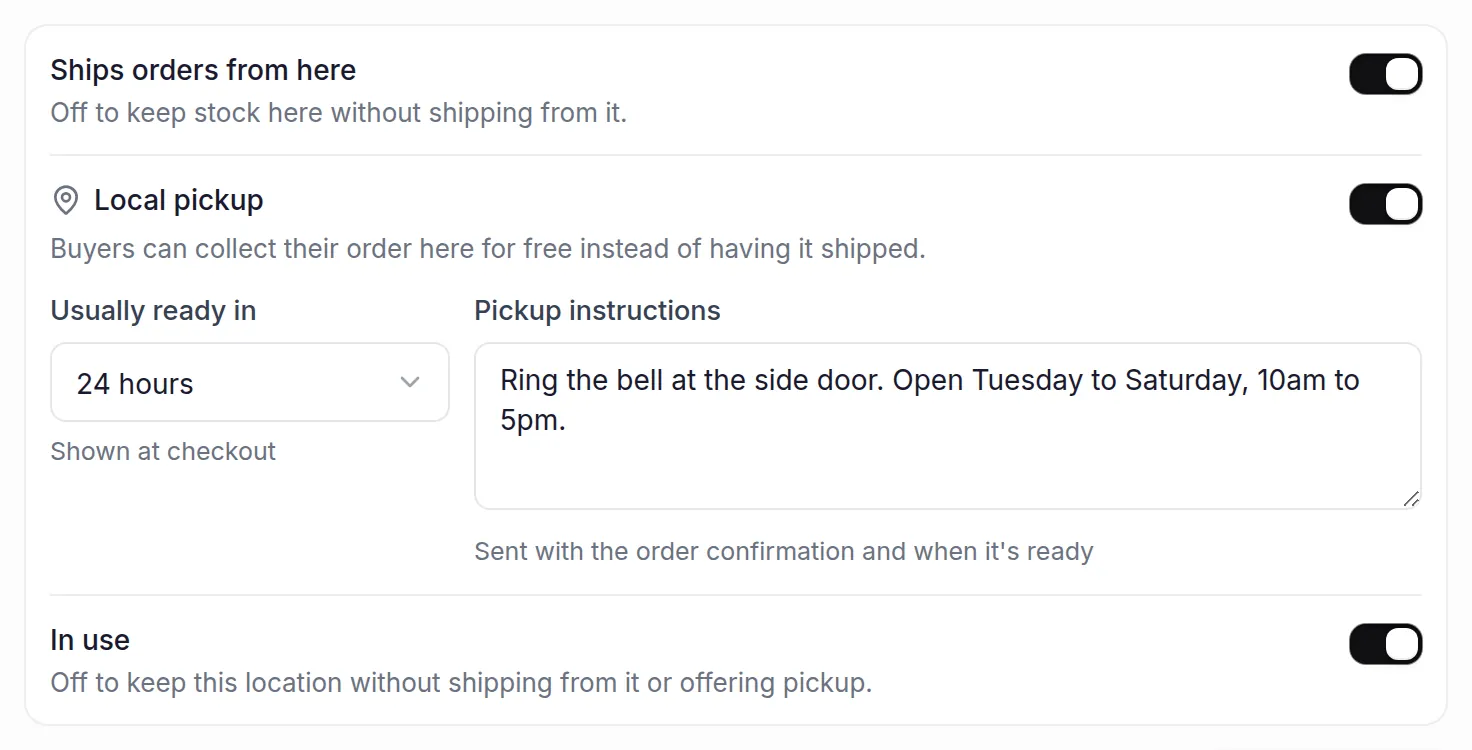
- Turn on Local pickup.
- Choose Usually ready in, for example 24 hours.
- Write Pickup instructions: opening times, which door, what to bring.
- Press Save location.
What the buyer sees
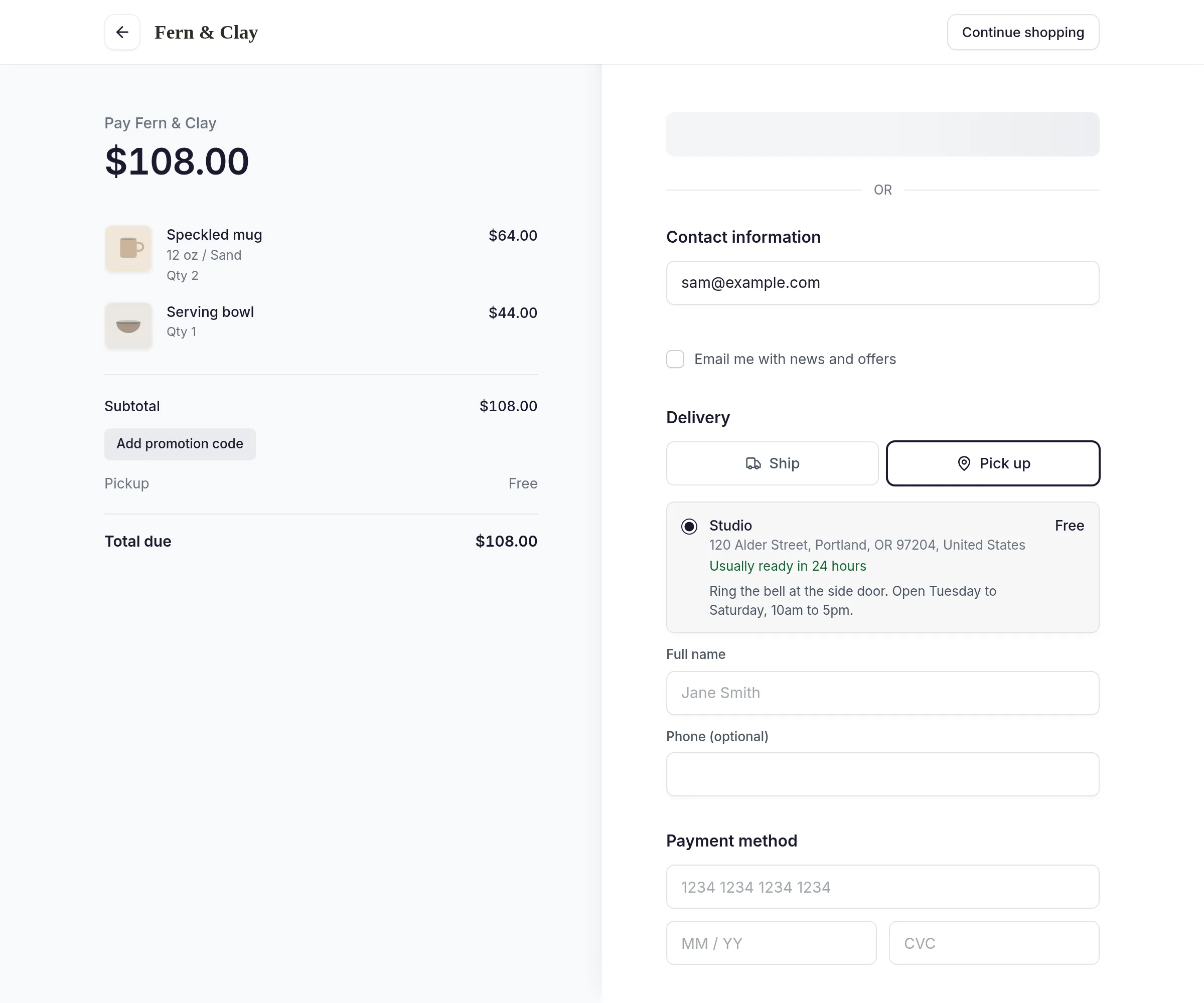
Choosing Pick up shows your location, its address, when it's usually ready and your instructions. They type their email and name, and a phone number if you ask for one. No address.
When Pick up is offered
- Only for items you ship yourself. A print on demand or dropshipped item never passes through your hands, so a cart with one can't be picked up.
- Only when that location has enough stock of everything in the cart, or the items aren't tracked.
- Tax, if you charge it, is worked out for the pickup location's country and state.
Handing it over
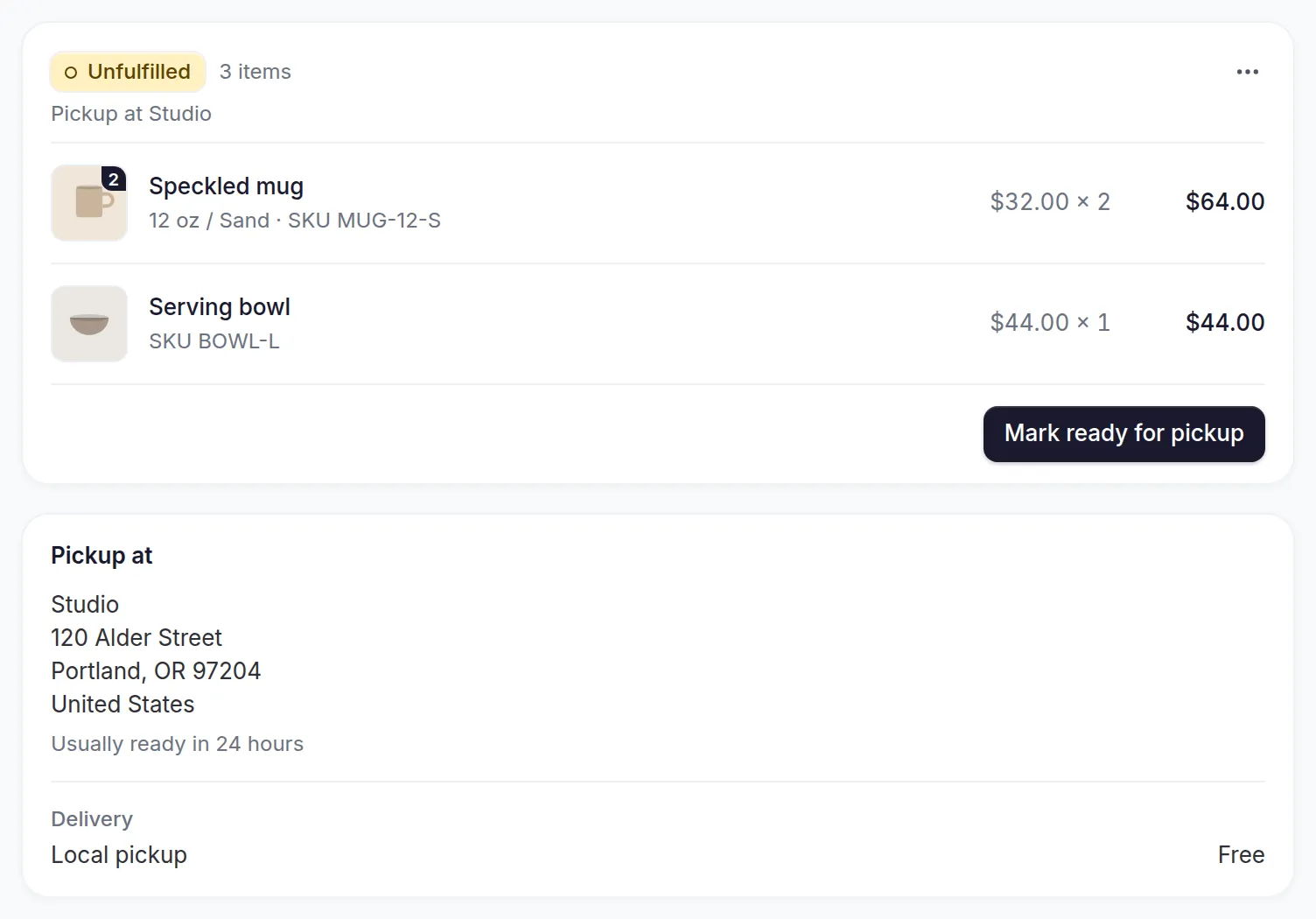
- Get the order ready and press Mark ready for pickup on the order. Keep Tell the buyer it's ready on: they get an email with your address and instructions.
- When they collect it, press Mark picked up. The order is done.
- Marked ready too soon? Choose Not ready after all in that card's menu.
More in Shipping and delivery
- Set up shipping: profiles, zones and rates
- Shipping zones: countries, states and Rest of world
- Shipping rates: every type, with real numbers
- Units and packages
- Who ships it: fulfilment types
Related articles
- Locations: where your stock lives and ships fromAdd your home, studio, warehouse or partner as a location, choose who ships from it, and pick the default.
- Ship your orders: from Unfulfilled to DeliveredWhat each order status means, how to fulfill items with tracking, send part of an order and print a packing slip.
- What buyers see at checkoutYour website's checkout, step by step: on your own address, with your logo, and the card form inside the page.
- Set up shipping: profiles, zones and ratesWhere you ship and what it costs, set once in Settings > Shipping and delivery. One General profile covers every product.
Still stuck? Contact support and a person on the team replies by email. Selling on Storelib? Open a request from your dashboard.