
Shipping and delivery
Shipping zones: countries, states and Rest of world
How a zone picks up a buyer's address, how to ship to only some states, and what Rest of world covers.
Updated 2 min read
On this page
A zone is a list of places you charge the same for. Each profile has its own zones. A buyer sees the rates of the one zone their address falls in.
Add a zone
- Open Settings > Shipping and delivery.
- In a profile, press Add shipping zone.
- Give it a name only you see, like Europe.
- Tick the countries. Search by name, or press Select all for every country.
- To ship to only part of a country, tick its states or provinces instead of the whole country.
- Save, then add at least one rate to the zone.
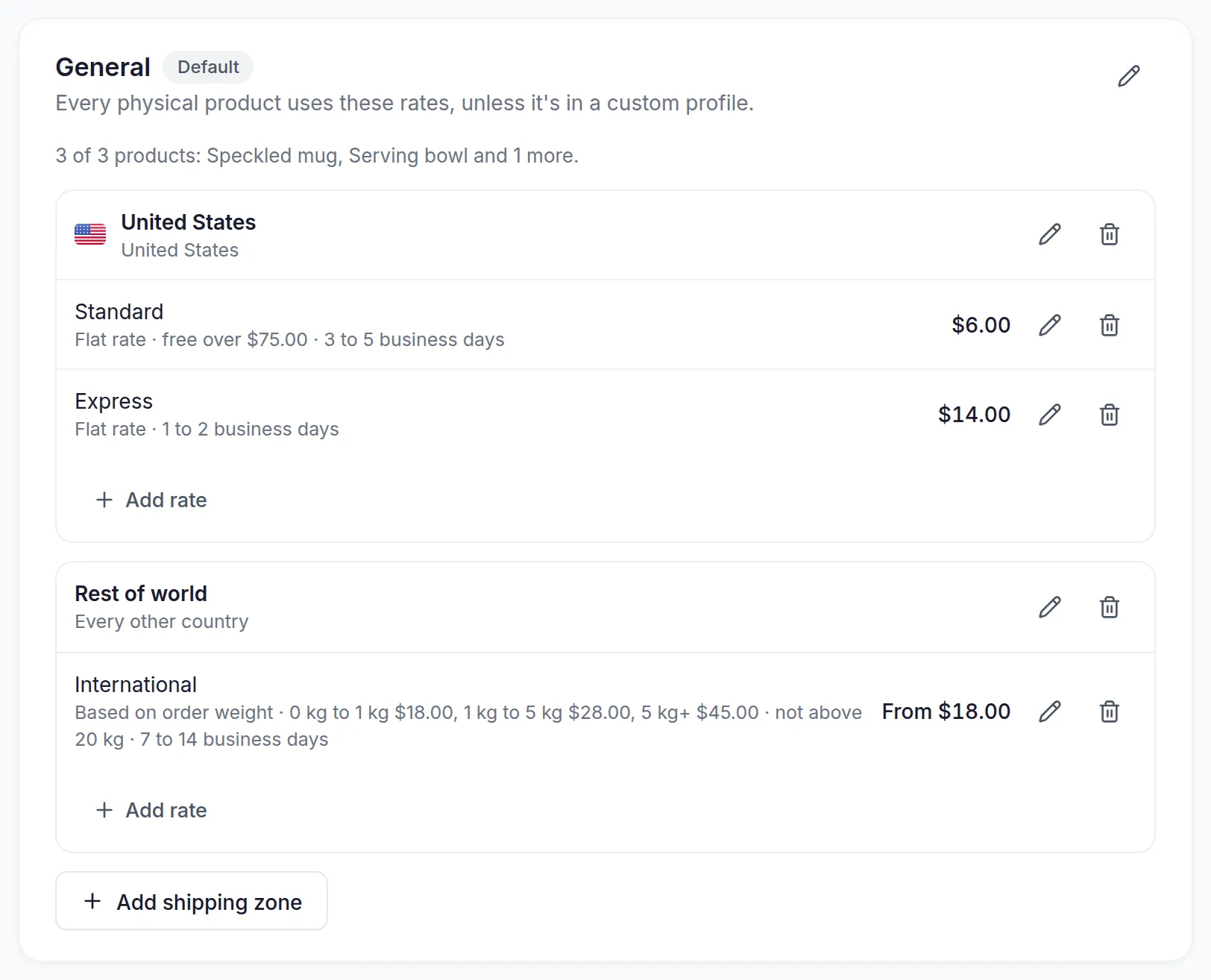
Which zone an address falls in
Storelib reads the country and state of the delivery address and looks, in this order, for:
- A zone that names the address's state or province.
- A zone that names the whole country.
- If you picked only some states of that country, nothing more: the other states aren't shipped to.
- Otherwise the Rest of world zone, if the profile has one.
No zone found means no shipping to that address, and checkout says so before Pay.
Shipping to only some states
Say you ship to the lower 48 US states but not Alaska or Hawaii. Make a zone with the 48 states ticked, not the whole United States. A buyer in Alaska then sees that shipping isn't available, even if you have Rest of world. Want Alaska and Hawaii at a higher price? Add a second zone with just those two.
Rest of world
Turn on Rest of world in a zone to cover every country no other zone in that profile names. It's the easy way to ship everywhere. A country where you picked only some states stays out of it.
Good to know
- A zone with only states is listed under its country's name, so you can tell zones apart.
- Two rates with the same name in one zone: the buyer only sees the cheaper.
- Each custom profile needs its own zones. A product in a profile with no zone for an address can't ship there.
More in Shipping and delivery
- Set up shipping: profiles, zones and rates
- Shipping rates: every type, with real numbers
- Units and packages
- Local pickup
- Who ships it: fulfilment types
Related articles
- Local pickupLet buyers collect their order from your studio, shop or home instead of paying for shipping.
- Units and packagesPick kilograms or pounds, and save the boxes you ship in so weight based rates charge for the whole parcel.
- Who ships it: fulfilment typesShip it yourself, or use a fulfillment center, a supplier or print on demand: one answer for the store, and any product can have its own.
Still stuck? Contact support and a person on the team replies by email. Selling on Storelib? Open a request from your dashboard.