
Locations and inventory
Inventory: how Storelib counts your stock
Tracking quantity, why you can never oversell, the Inventory page, and keeping selling when out of stock.
Updated 2 min read
On this page
With Track inventory on, every product has a quantity. A simple product has one number. A product with variants has one number per variant, because you might have 10 large mugs in Sand and none in Ink.
What happens to the number
| When | What changes |
|---|---|
| A buyer starts paying | The items are held for them for about 35 minutes. Nobody else can buy them in that time. |
| They pay | The items stay taken. Available goes down for good. |
| They leave without paying | The hold ends and the items are back on sale. |
| You fulfill the items | They leave your shelf: On hand goes down. |
| You cancel an order that hasn't shipped | The items go back on sale. |
| A return arrives and you restock it | On hand goes back up. |
So you never sell more than you have, even if two people press Pay for the last one at the same second. One gets it; the other is told how many are left.
The Inventory page
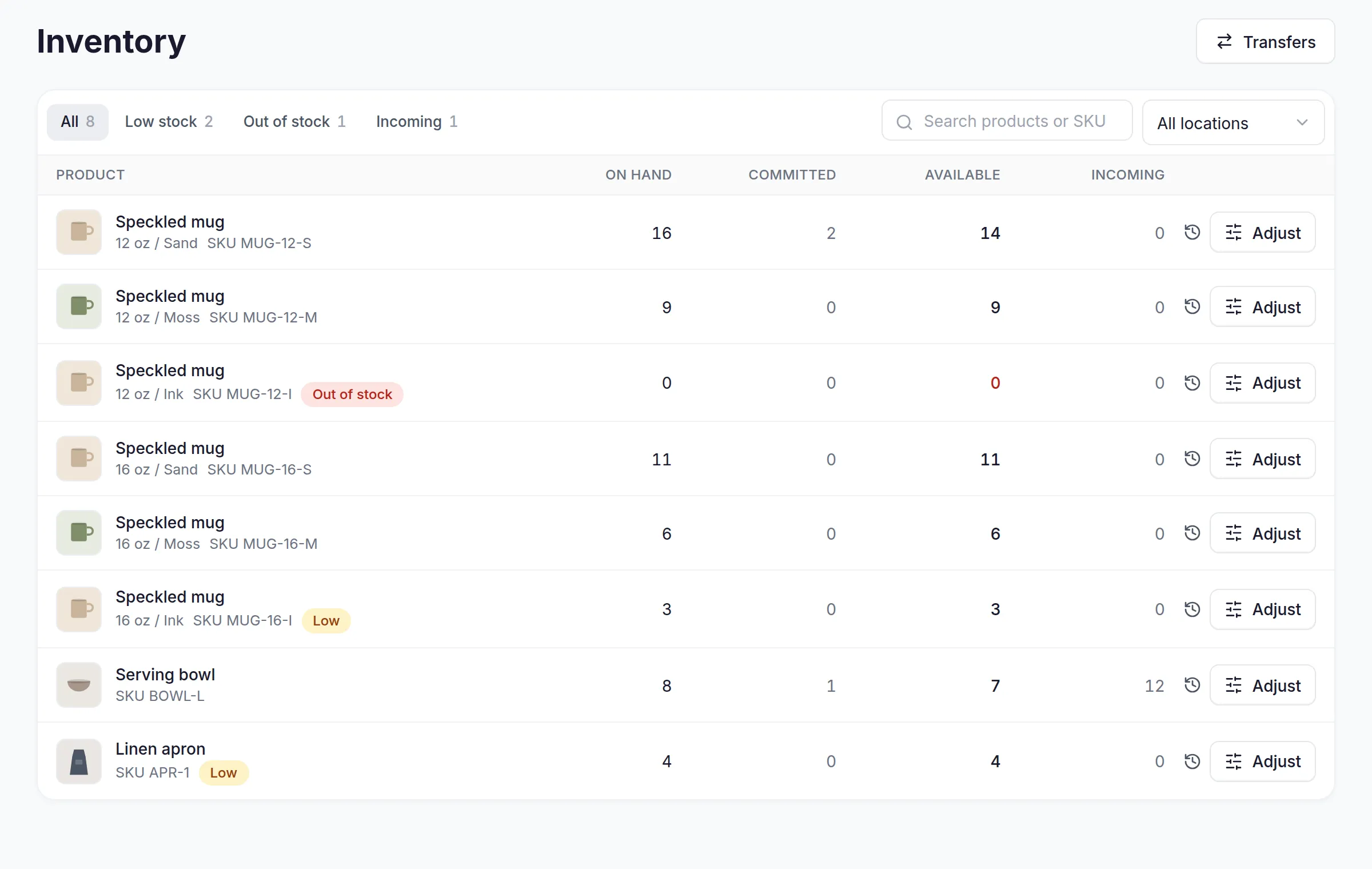
- Open Products > Inventory in the dashboard menu.
- Each row is one variant. On hand is what's on your shelf. Committed is held for checkouts and orders not sent yet. Available is what can still be sold.
- Use the views at the top, like Low stock and Out of stock, to see what to reorder.
- To change a number, press Adjust. Choose Add or remove, Set count (after you count the shelf) or Incoming (units you've ordered), and pick a reason. Every change is kept in that variant's history.
Sold out, and keeping selling
When a variant reaches 0 it shows as Sold out and can't be added to a cart. To take orders anyway and ship later, turn on Keep selling when out of stock on the product. Then the number can go below 0, which tells you how many you owe.
Want an email before something runs out? See Low stock alerts.
More in Locations and inventory
All physical products articlesRelated articles
Still stuck? Contact support and a person on the team replies by email. Selling on Storelib? Open a request from your dashboard.