
Set up your store
Sales channels: where your products are listed
Show a product on your website, your creator page and Explore, or take it off one, without deleting it.
Updated 1 min read
On this page
A sales channel is a place your products are listed. Storelib runs three, and every product is on all of them until you take it off one.
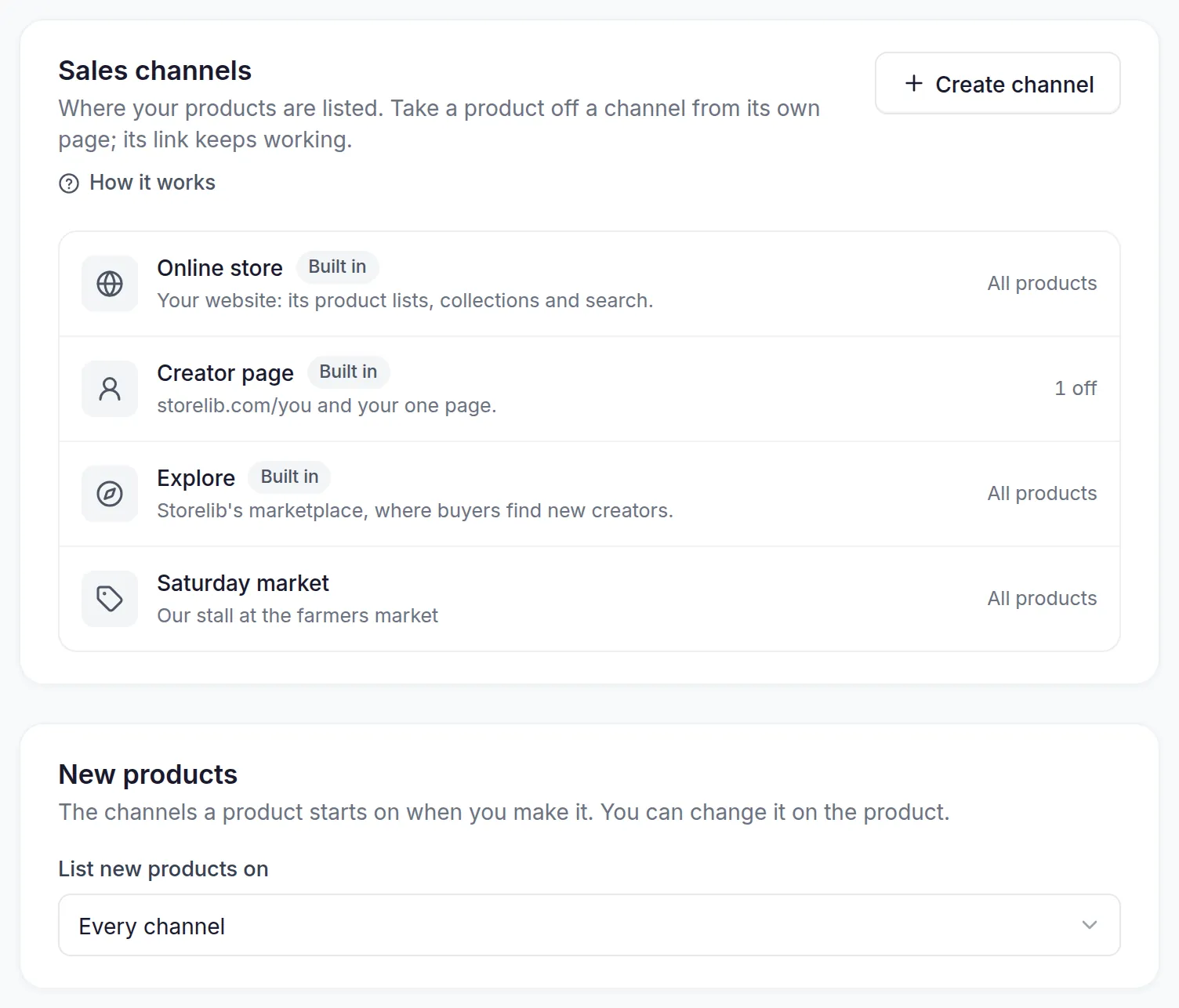
| Channel | Where it is |
|---|---|
| Online store | Your website: its product lists, collections and search. |
| Creator page | storelib.com/yourname and your OnePage. |
| Explore | Storelib's marketplace, where buyers find new creators. |
Take a product off a channel
- Open the product.
- Find the Sales channels card.
- Untick the channel and save.
It disappears from that place's lists and search straight away. Its own link keeps working, so anyone you send it to can still buy.
Channels of your own
Press Create channel in Settings > Sales channels to keep track of somewhere else you sell, like a market stall or a wholesale list. Storelib doesn't show anything there. It only keeps which products belong to it.
Where new products start
Under New products, List new products on picks Every channel, or one channel alone. You can always change it on the product.
Right now physical products are only listed on your website (Online store). They don't show on your creator page or Explore, whatever their channels say. Channels still decide where your digital products show.
More in Set up your store
- Store details: logo, name, contact email, country and currency
- Cash on delivery: take payment when the order arrives
- Checkout settings: what checkout asks for
- What buyers see at checkout
- Customer accounts on your website
- Put your store on your own domain
Related articles
- Sell physical products on your websiteYour products, the cart and checkout are built into every Storelib website. Here's how to set them up and check them.
- Create a physical product, step by stepFrom an empty product to one people can buy and you can ship, in about five minutes.
- Store details: logo, name, contact email, country and currencyWhat buyers see on receipts, order emails and checkout, where your store is based and the currency it sells in. Set it once in Settings > Store details.
- Cash on delivery: take payment when the order arrivesLet buyers pay in cash when an order is delivered or picked up. Turn it on, choose where, add a fee or a note, and mark orders paid or refused.
Still stuck? Contact support and a person on the team replies by email. Selling on Storelib? Open a request from your dashboard.